
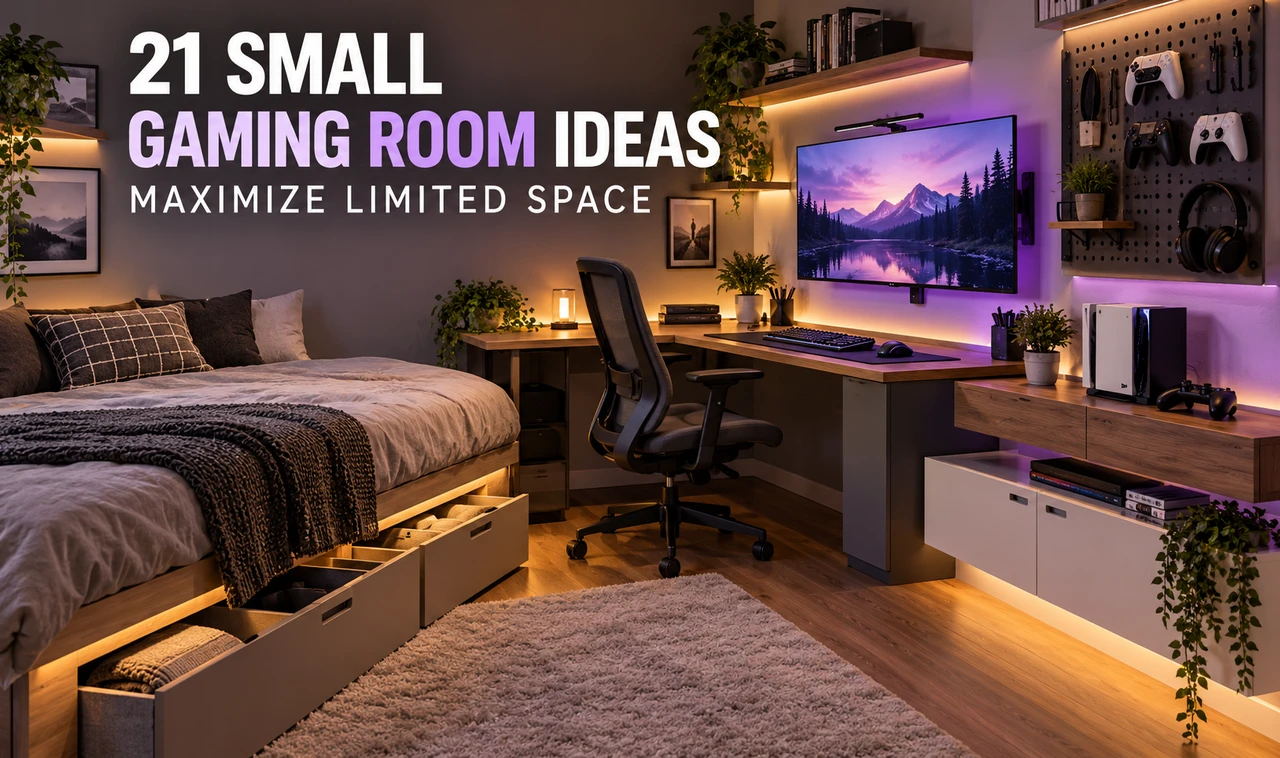
Most gaming setups start with a desk, a screen, and good intentions. Six months later there is a controller on the bed, a headset hanging off a lamp, and a tangle of cables nobody wants to look at.
The usual advice is to buy more storage. That rarely works in a tight room, because more furniture eats the floor you were trying to save. What works is deciding where each thing lives, and using the walls, corners, and the space under things you already own.
These small gaming room ideas come from that thinking. Some cost almost nothing. Some need a drill and an afternoon. Most work in a bedroom, a spare corner, or a dorm room where the gaming area has to share space with everything else.
You will find ways to fit the desk, the screen, the console, and the game collection without making the room feel crowded. Start with the first idea, then pick the ones that match your room.
Measure the Room First and Mark the Dead Zones
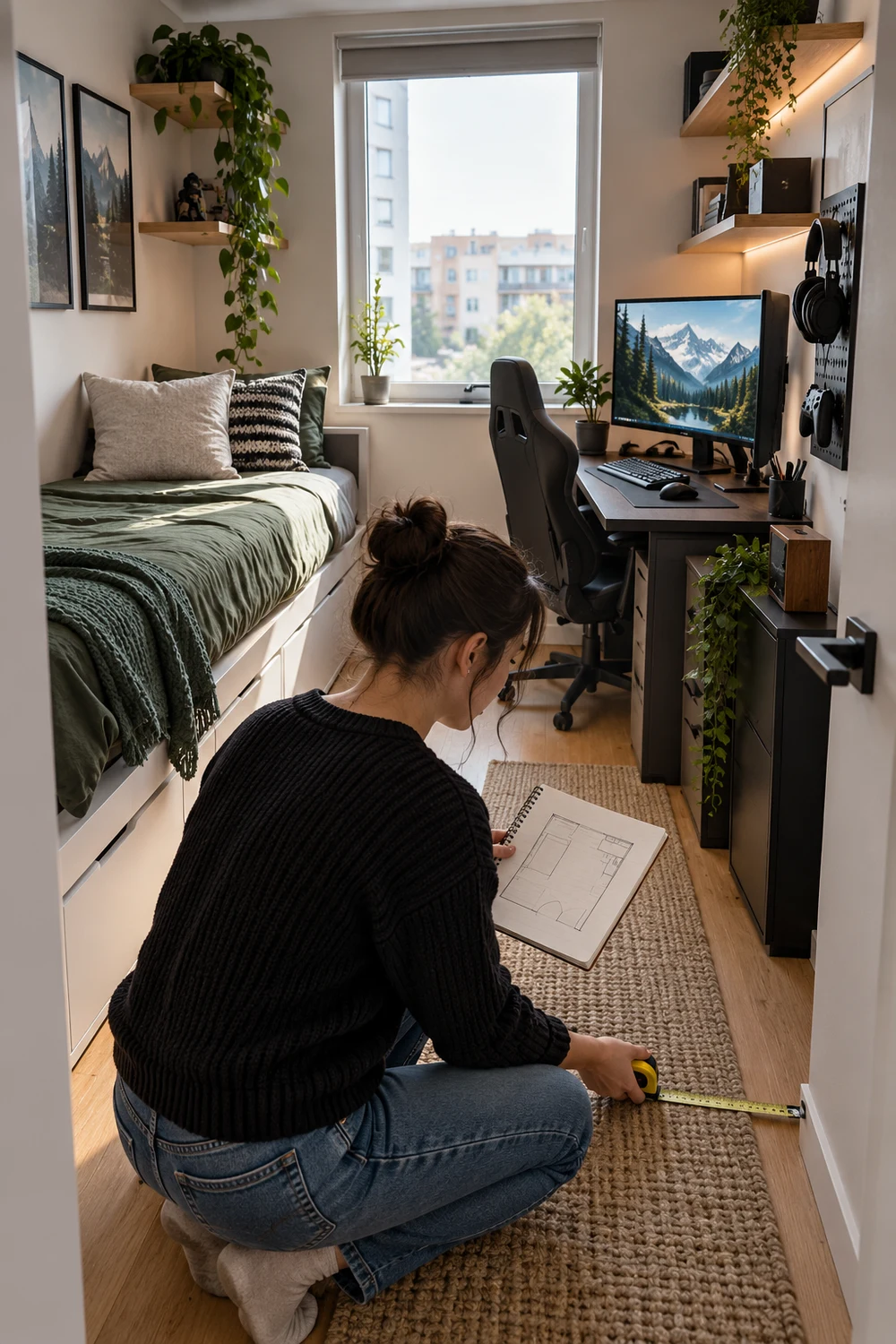
Grab a tape measure before you buy anything.
Small rooms hide wasted space. The gap behind the door, the wall above the window, the foot of floor beside the bed. None of it counts until you write it down. Most people measure the floor and forget the height, which is where a small room has the most to give.
Rough sketches are fine. Ten minutes of measuring saves one returned desk.
1
Measure floor width, floor depth, and wall height.
2
Mark the door swing, window, and every outlet on your sketch.
3
Circle any corner or wall section that sits empty. That is where the setup goes.
Pick a Corner Desk Instead of a Straight One
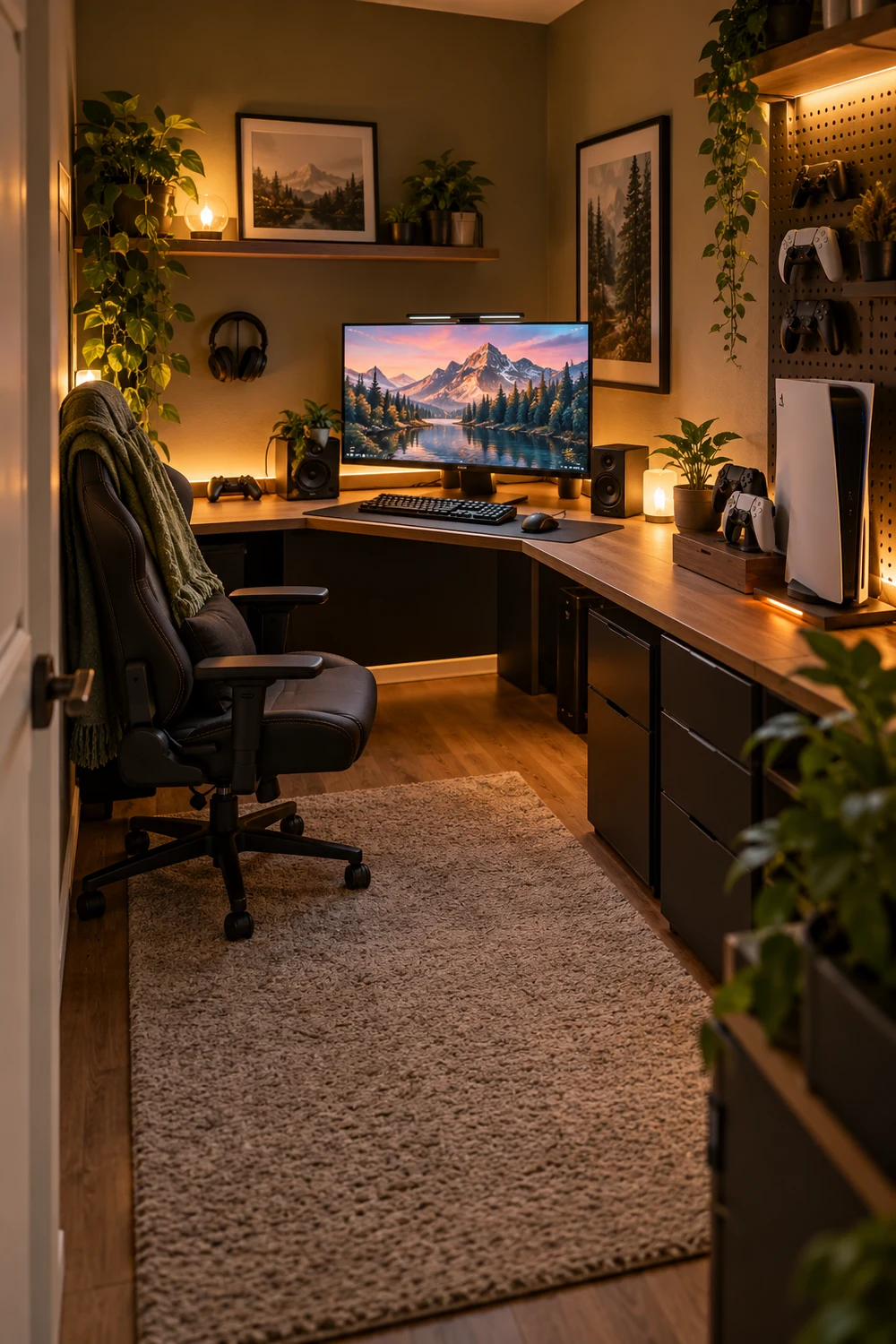
A straight desk against one wall leaves dead space on both sides of it. An L shaped desk wraps the corner and gives you two work surfaces from roughly one footprint.
Put the monitor in the bend. Use one arm for the keyboard and mouse, and the other for the console, a controller dock, or a notebook.
Measure the corner before ordering, since walls in older homes are rarely square. Best in a corner with no outlet blocked.
A straight desk on one wall, an empty corner beside it, and the console balanced on the floor.
A corner desk with the monitor in the bend, the console on the second arm, and the floor clear.
Go Vertical With a Wall Grid for Controllers and Headsets
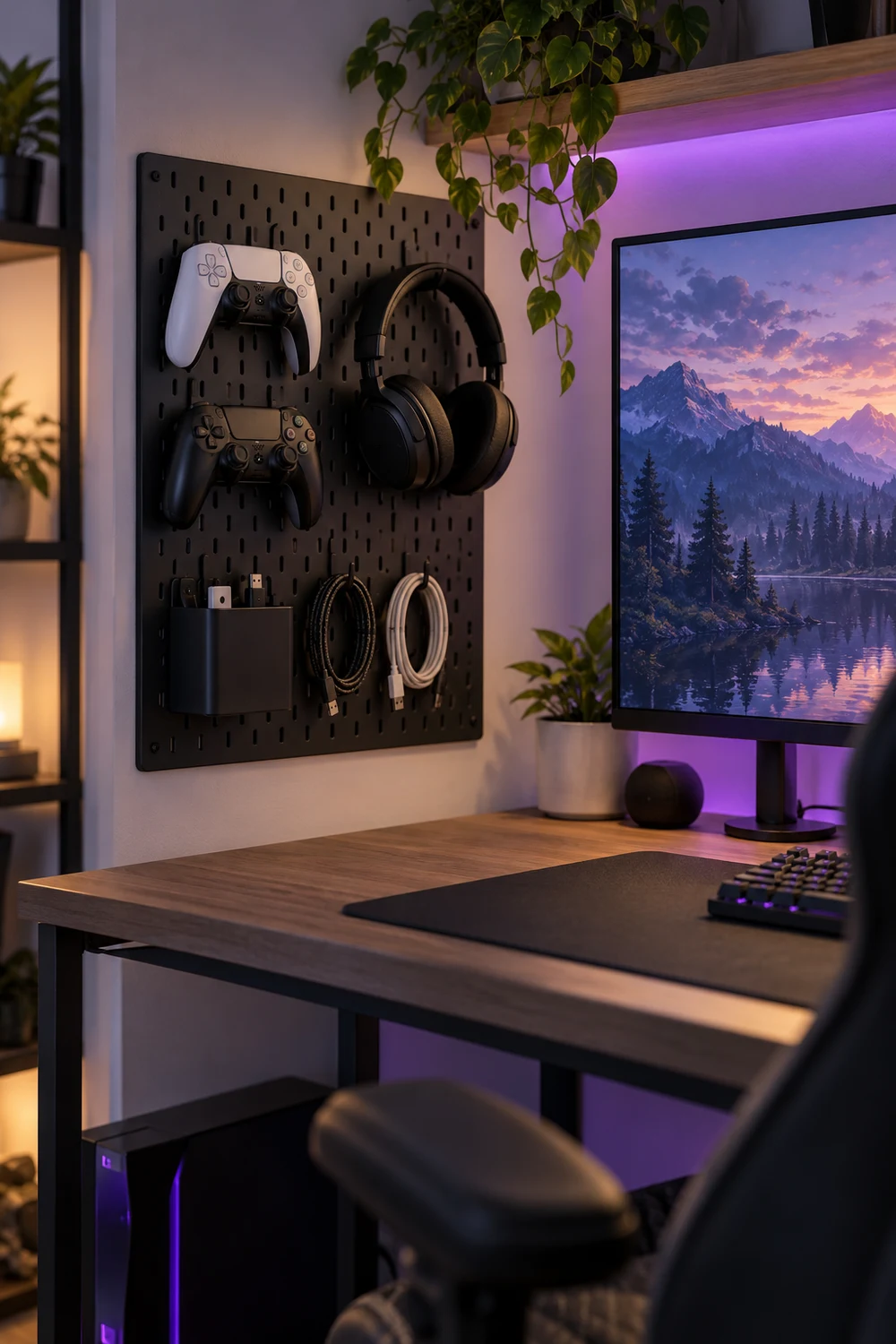
Controllers, headsets, and chargers are small, but together they take over a desk in a week.
A wire grid panel or a pegboard turns the wall beside your screen into storage. Hang the headset on a hook, clip controllers on by the grip, and add a small pouch for charging cables. Anchor it into studs or use proper wall anchors, because a headset and two controllers add up.
Stick with one panel. Three start to look like a hardware store.
Use a Wall-Mounted Fold-Down Desk in a Shared Room
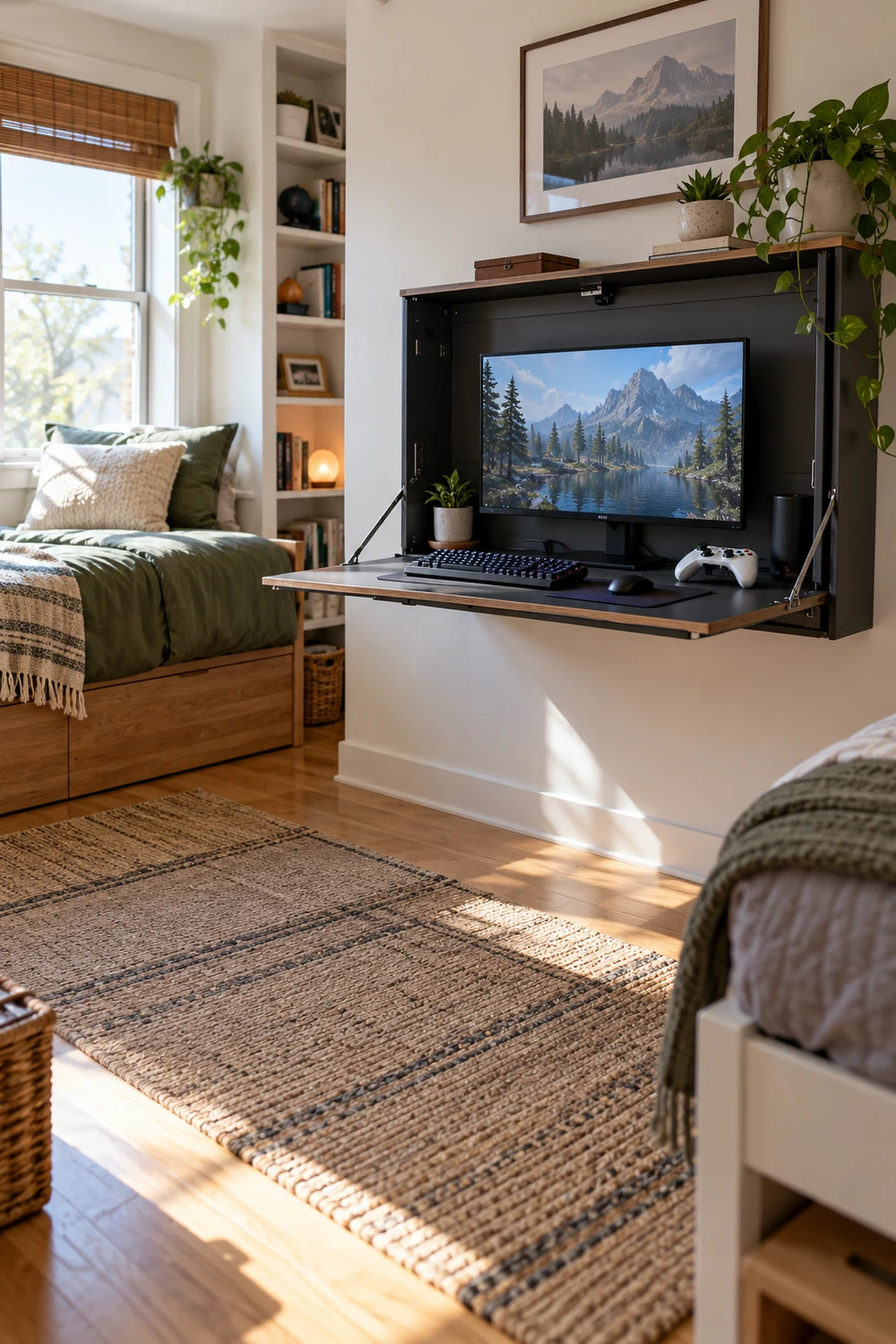
Sharing the room with a sibling, a partner, or a guest bed? A fold-down desk is worth a look.
Mounted to the wall with strong brackets, it opens into a surface for a laptop and a controller, then closes flat when you are done. The floor underneath goes back to being a floor.
It suits a laptop, a handheld console, or a small monitor on a light stand, since the surface only holds so much. Check the weight rating before you buy.
| Fold-down desk | Standard desk |
|---|---|
| Floor space comes back when closed | Takes the same floor space all day |
| A minute or two to set up | Always ready to play |
| Best for shared or multi-use rooms | Best for a dedicated gaming room |
Swap the Bulky Chair for a Compact Ergonomic One
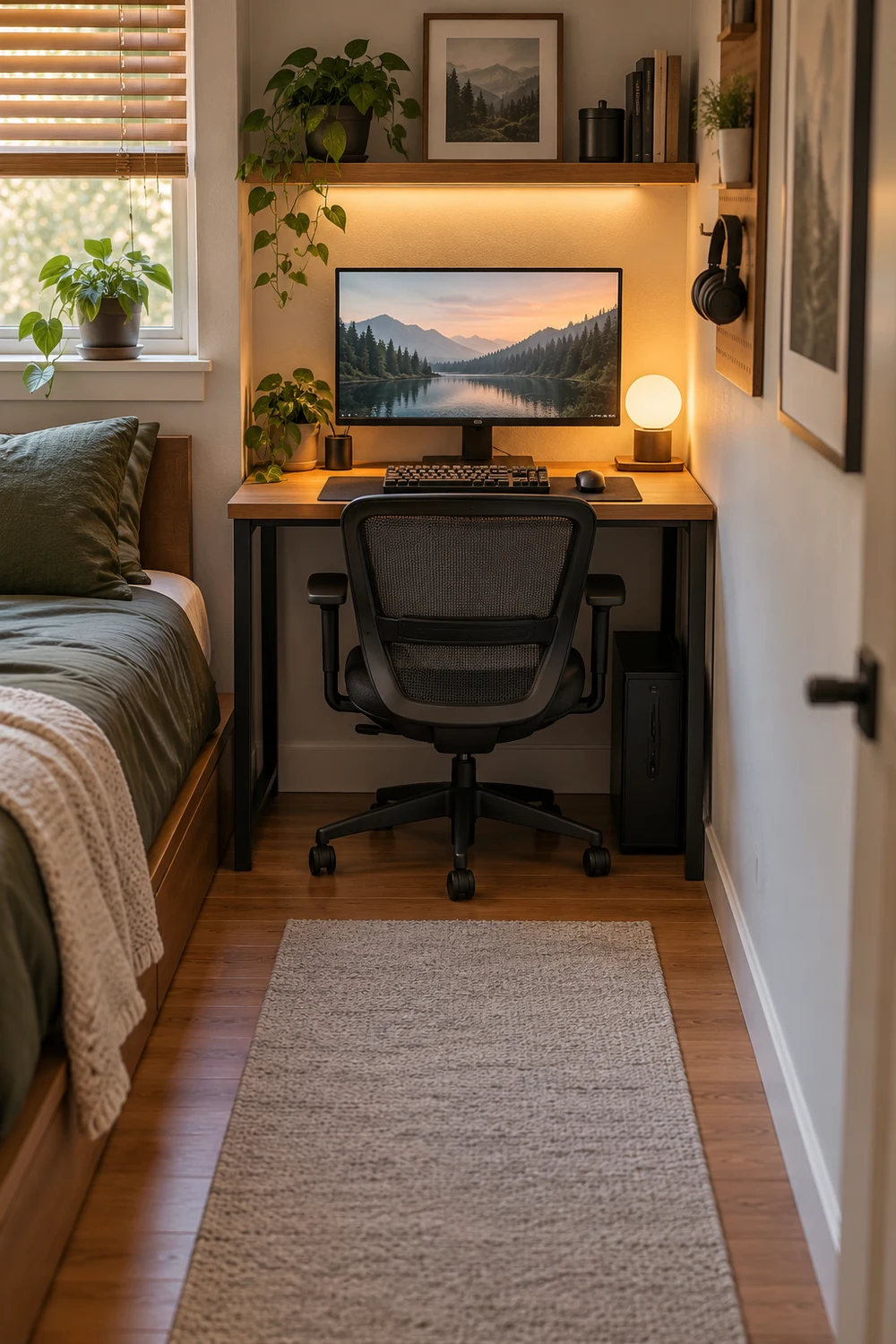
Racing-style chairs look great in photos. In a small room, they block half the walkway.
A mesh task chair with a narrow frame slides under the desk when you stand up, and it keeps your back supported through a long session. Look for adjustable seat height and lumbar support, and skip bulky wings and oversized headrests.
If the room is really tight, a stool for quick sessions and a good chair for long ones can share the same spot.
Pick a chair that tucks fully under the desk.
Test the seat height with your feet flat on the floor.
Wide armrests that hit the desk edge.
A chair so tall you cannot roll it under the desk.
Hide the Cable Mess With One Under-Desk Tray
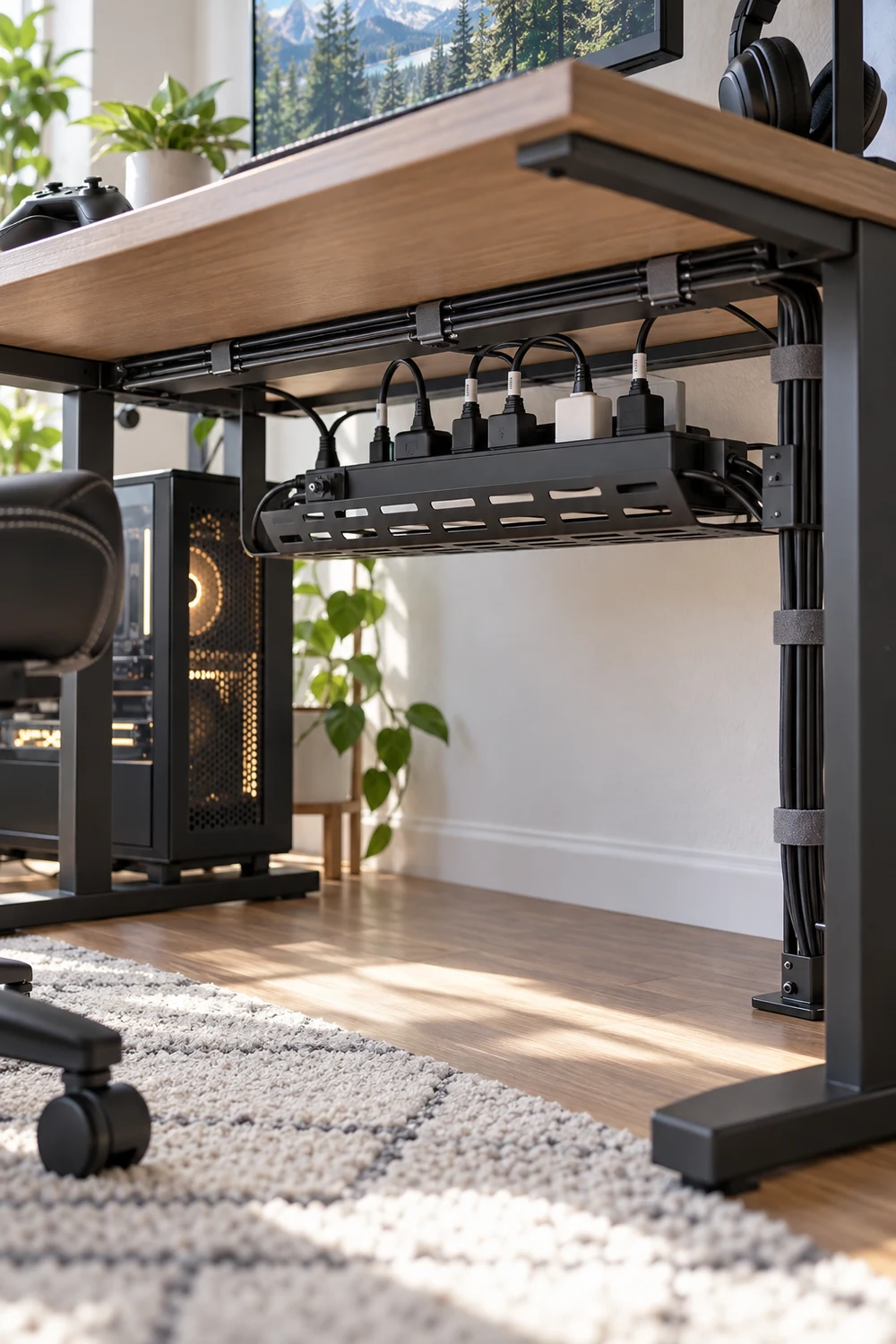
Nobody notices the desk. They notice the cables hanging off the back of it.
A metal or mesh tray screwed under the desktop holds the power strip and the adapters. Cables run into it from above and out through one gap to the wall. You get a cleaner look and an easier time dusting.
Label each plug with a small piece of tape. Future you will be grateful when something stops working at 11 pm.
What to grab first
Stack a Console Shelf Above the Desk, Not Beside It
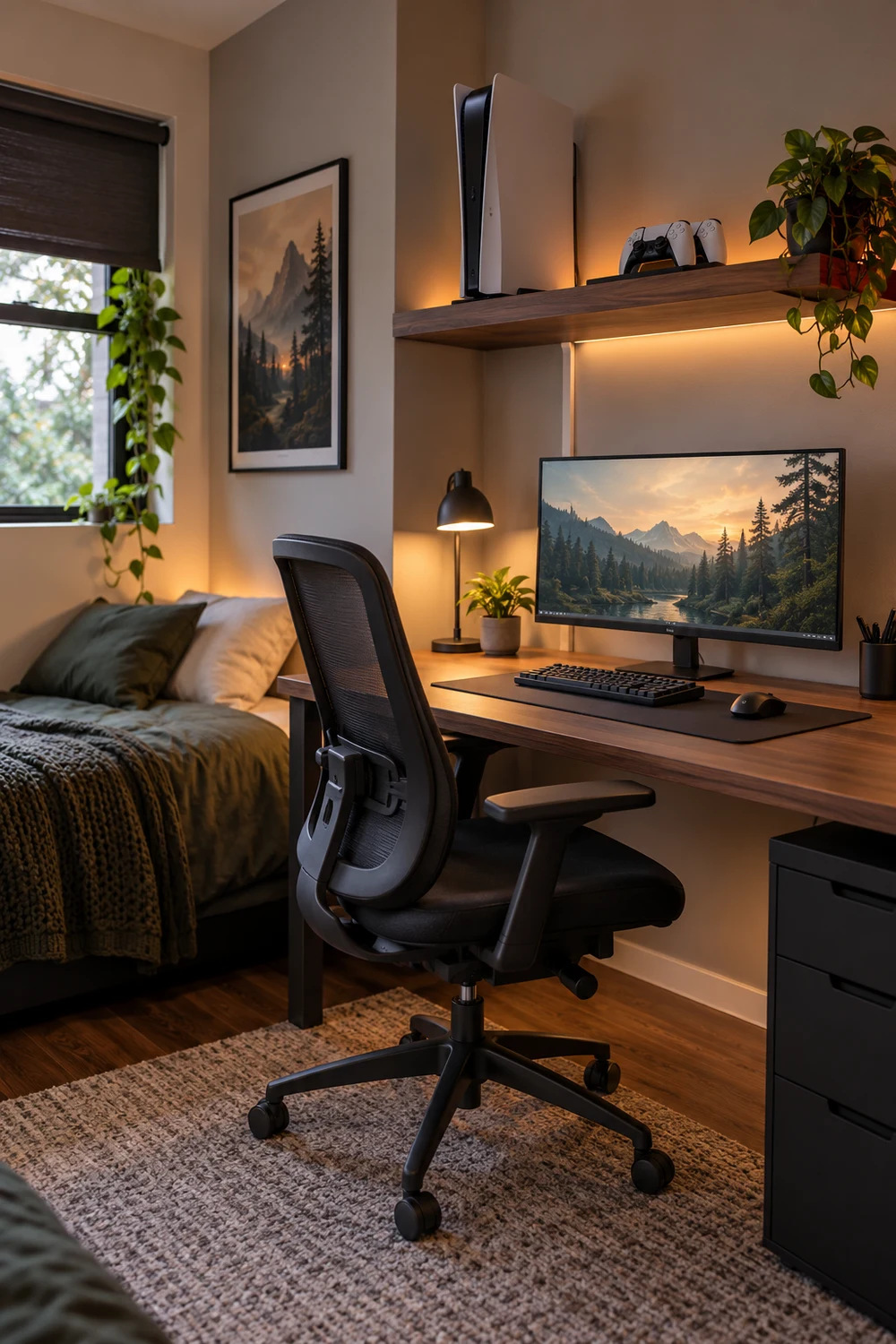
Here is a simple rule: if you do not touch it every day, it should not sit on the desk.
That includes consoles. A sturdy wall shelf above the monitor holds the console, the dock, and a small speaker, and keeps the heat away from your hands. Leave a few inches of airflow on every side.
Run the cable down the wall in a thin cord cover so it looks planned.
Try a Loft Bed With the Gaming Desk Underneath
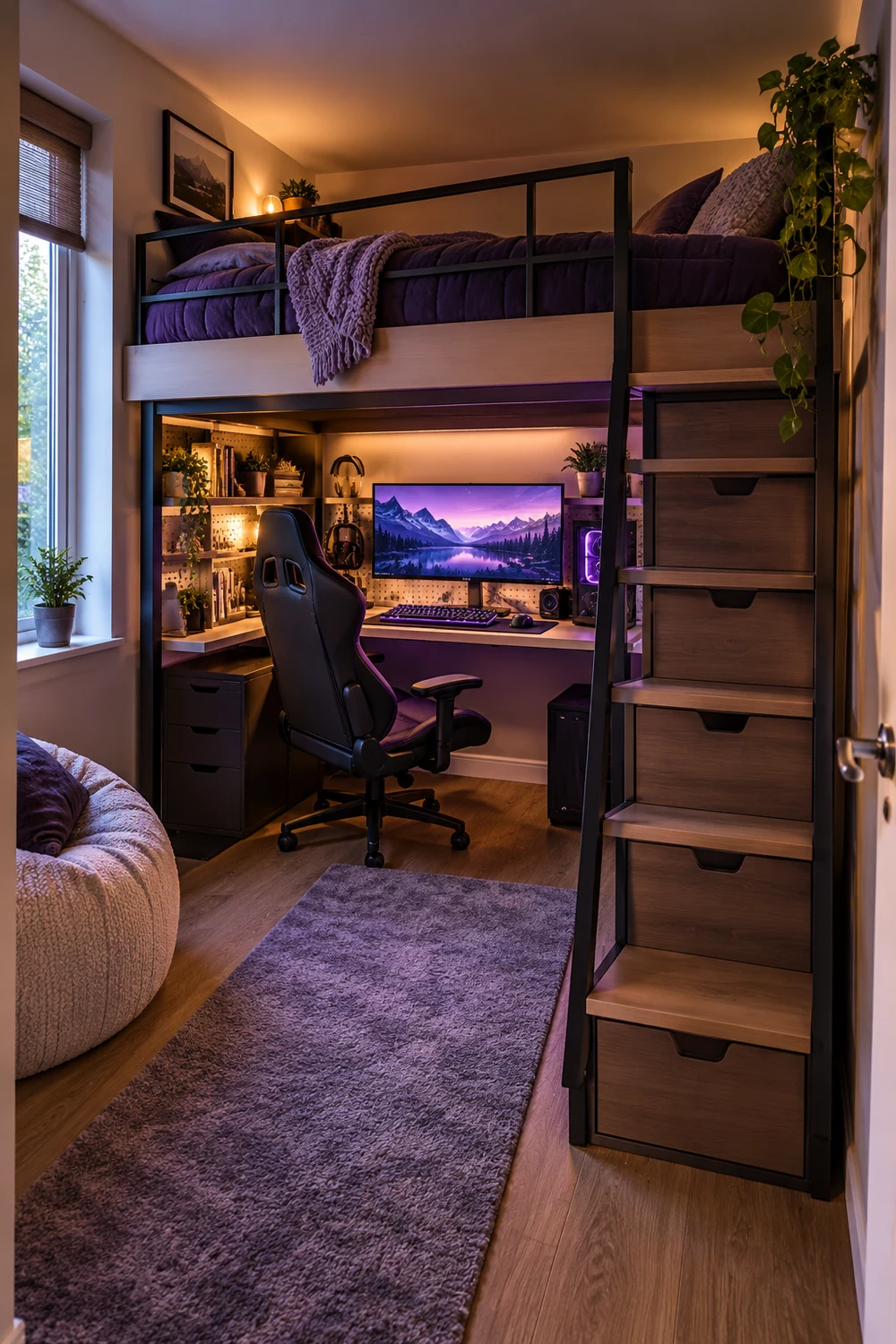
If the bed takes up the most floor in the room, lift it.
A loft or bunk frame frees the space underneath for a full desk, a screen, and a chair. The area feels like its own little zone, and the bed stays out of the way while you play.
It works best in a dorm, a kids’ room, or a studio, and it needs a ceiling high enough to sit up in bed. Add a small clip light under the frame so the desk area is not dark.
⚠️ Watch Out
Check the ceiling height and the weight limit before buying. Sleeping close to a fan or a vent can also get hot or drafty.
Put LED Strips Behind the Monitor, Not on Every Wall
Many people think the more lights, the better the room. In a small space, the opposite is true.
One strip behind the monitor adds a soft glow, cuts eye strain from a bright screen in a dark room, and keeps the walls clean. Add a second strip under a shelf if you like, and stop there.
Choose warm or single-color settings for daily use. Save the rainbow mode for when friends come over.
Light the screen’s back edge, not the whole room. It looks cleaner and is easier on your eyes.
Turn a Closet Into a Gaming Nook
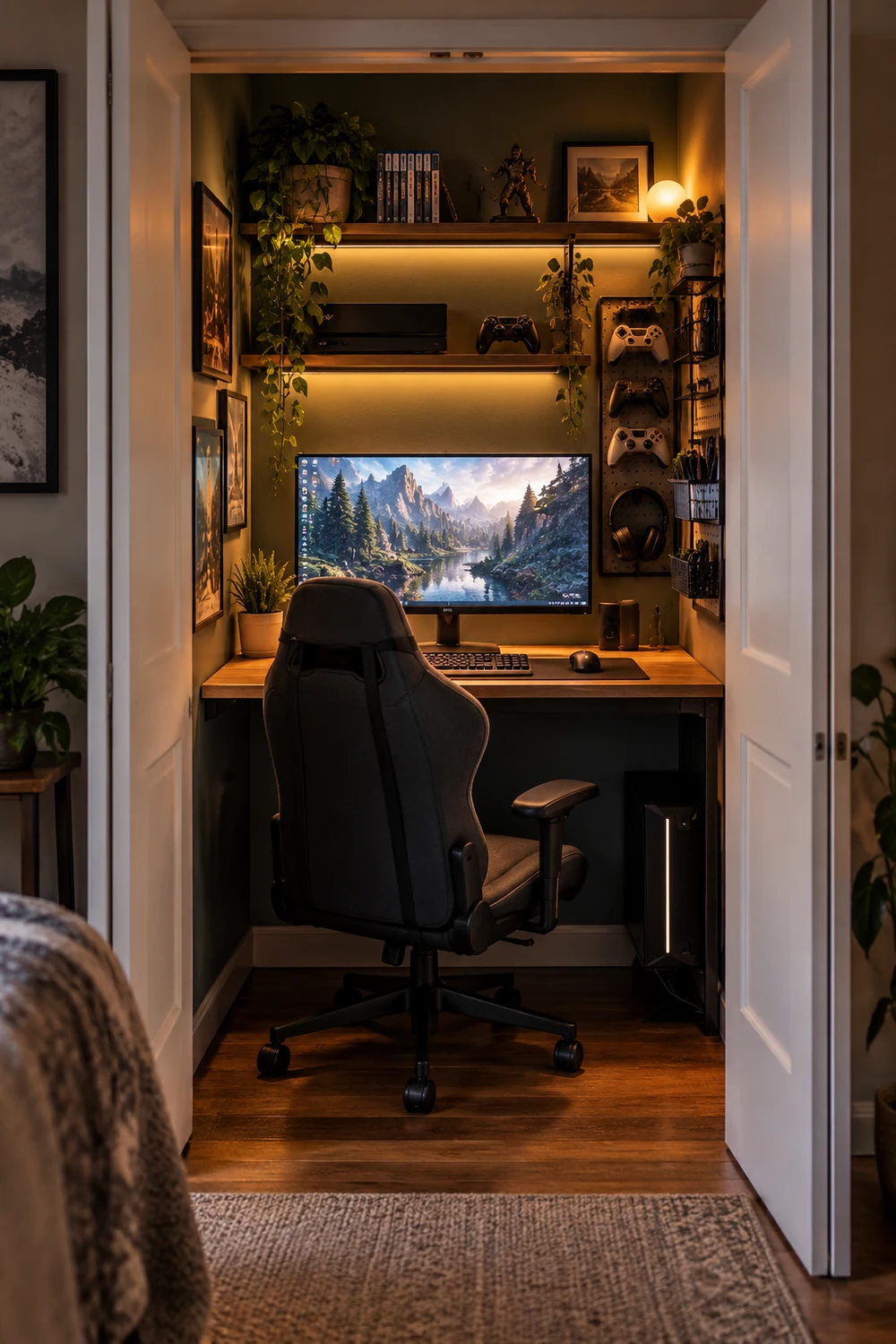
Closets are the most underused square footage in a small home.
Take the door off or fold it back, remove the rod, and slide in a narrow desk at elbow height. Add a shelf above for the console and a small light inside the frame. The walls on three sides block glare and muffle noise, which helps late sessions.
Clothes need a new home first. Move them to under-bed bins or a slim rolling rack before you start.
A hanging rod, a pile of shoes, and a floor nobody can reach.
A tucked-away desk, a shelf for the console, and a door that closes on the mess.
Choose a Slim Sofa or a Bean Bag That Tucks Away
Guests and co-op partners need somewhere to sit. That does not mean a full sofa.
The trick is seating that can disappear when you want the floor back. Here are the options that earn their spot in a tight room:
- ▸A bean bag that slides into a corner or behind the door.
- ▸Two stackable stools that double as side tables.
- ▸A narrow loveseat with legs, so the floor stays visible underneath.
- ▸A storage ottoman that holds spare controllers and a blanket.
Pick one. Two seats in a small room start to feel like a waiting area.
Store Games on a Slim Ladder Shelf, Not a Wide Bookcase
A wide bookcase swallows a wall. A leaning ladder shelf uses a few inches of floor and runs up instead.
Put the games you play most on the middle rungs, where your hand lands without bending. Keep rarely used discs and cartridges on the top and bottom, or in a lidded bin on the lowest shelf.
Face two or three favorite cases out so the shelf looks like a display, not a pile.
Float a Shelf for Collectibles and Display Pieces
Figures, retro cartridges, and a signed poster deserve a spot. They just do not need the desk.
A floating shelf above the doorway or beside the window keeps the collection visible without taking up floor. Use a shelf with a lip so nothing slides off, and keep the pieces to one level so it does not look busy.
1
Pick a wall spot at least a hand width above your screen’s top edge.
2
Mark the studs with a pencil and drill pilot holes before mounting.
3
Place the tallest piece at one end and work down, leaving gaps between each.
Pick Two Wall Colors and Stop There
Small rooms get loud fast. A dark wall, a bright accent, a neon sign, and a poster collage can make the space feel smaller than it is.
Choose one base color for most of the walls and one deeper shade for the wall behind the monitor. Deep navy, charcoal, or forest green work well behind a screen, because they cut reflections and make the display stand out.
Keep the ceiling light. It makes the room feel taller.
Conclusion
Make the Room Work for the Way You Play
A small room does not have to feel like a compromise. The best small gaming room ideas share one habit: every item gets a place, and the walls, corners, and space under the desk get used before the floor does.
You do not need to try all 21. Pick two or three that fit your room and start with the measuring. A cable tray and one wall shelf can change how the room feels in a single afternoon.
Save this list for the next time you want to refresh your setup, and come back when the room needs another small win.
Start with these three

4 Responses